Raspberry AI × Trasix Integration: How AI-Generated Designs Flow Directly Into Product Planning

Fashion teams manage two streams of work in parallel: creative exploration and product planning. Both are critical, and both move quickly. Historically, these streams have lived in separate tools, owned by different teams, and connected through manual handoffs.
The Raspberry AI × Trasix integration is designed to change how those streams connect in practice. It allows AI-generated design concepts created in Raspberry AI to move directly into Trasix, where teams plan assortments, review options, and align across design, merchandising, and sales.
This article explains how this integration works, step by step, and why it matters for teams managing complex, global assortments.
What Raspberry AI Brings Into the Workflow
Raspberry AI is an AI design platform built for fashion and retail teams. Designers use it to generate and explore design concepts, prints, and patterns using prompts, reference images, and natural language.
The value of Raspberry AI sits early in the product lifecycle. It accelerates creative exploration while staying grounded in brand context, design intent, and production realities. Instead of static inspiration boards or disconnected files, teams can quickly generate options that are ready to be reviewed and discussed.
The integration ensures those early outputs don’t remain isolated inside design tools.
Where Trasix Fits
Trasix is where cross-functional teams plan collections, structure assortments, and collaborate across regions and channels. Product slots, boards, and reviews inside Trasix act as the shared workspace where decisions are made and tracked over time.
The integration connects Raspberry AI outputs directly into this environment. Trasix continues to sit on top of existing PLM systems, acting as the connective layer across teams and tools rather than replacing upstream systems.
What the Integration Enables
Once connected, teams can:
- Export AI-generated designs from Raspberry AI directly into Trasix
- Place those designs into specific product slots or boards
- Use them as early concepts, design options, or approved assets
- Review and align on designs inside the same workflows used for planning and assortment decisions
This keeps creative intent visible as collections evolve, without introducing new processes or additional tools to manage.
Integration Setup Overview
The integration is lightweight to enable and does not require changes to existing workflows.
Setup happens inside Raspberry AI:
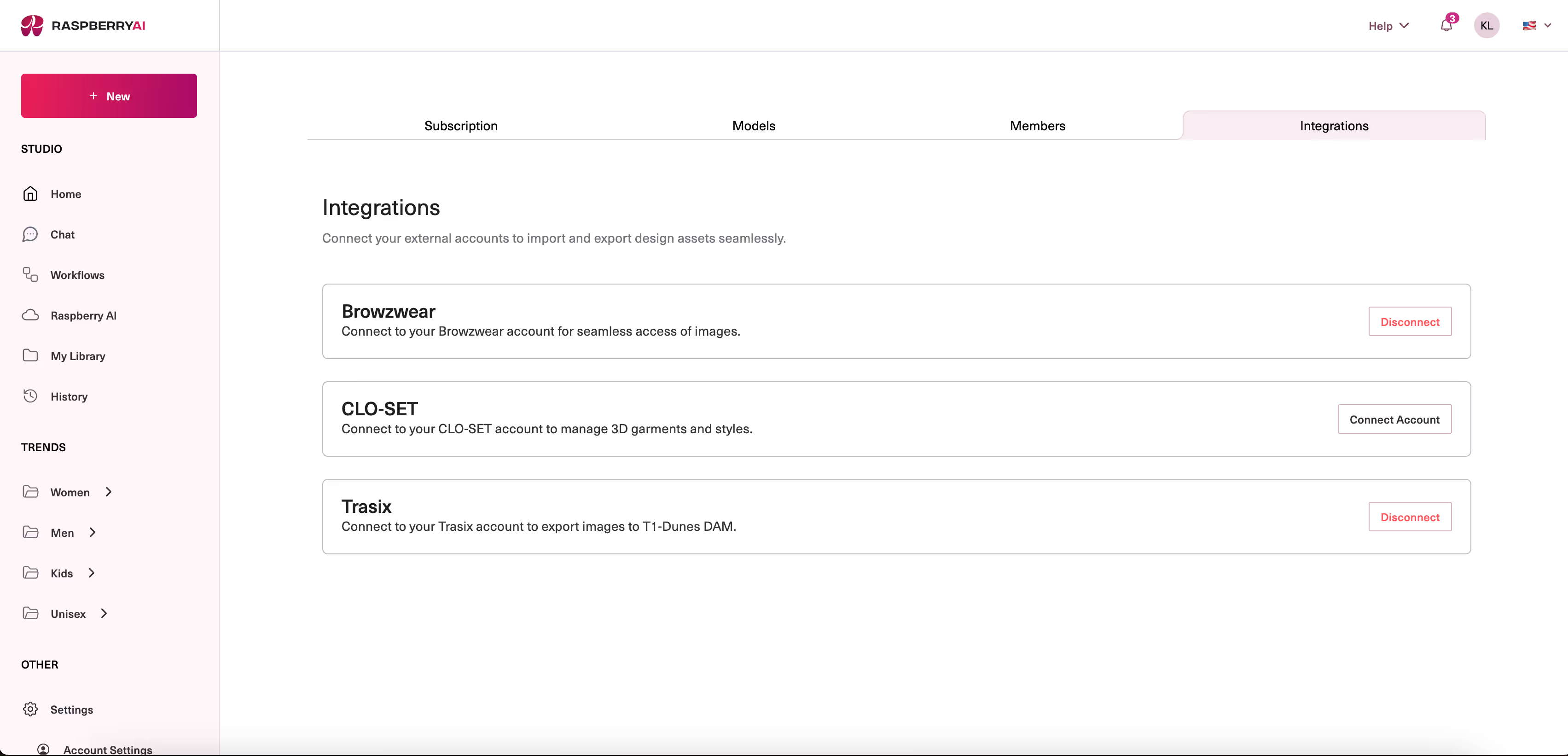
- As an admin, go to Team Settings inside Raspberry
- Navigate to Integrations
- Connects Trasix using credentials provided by the Trasix team
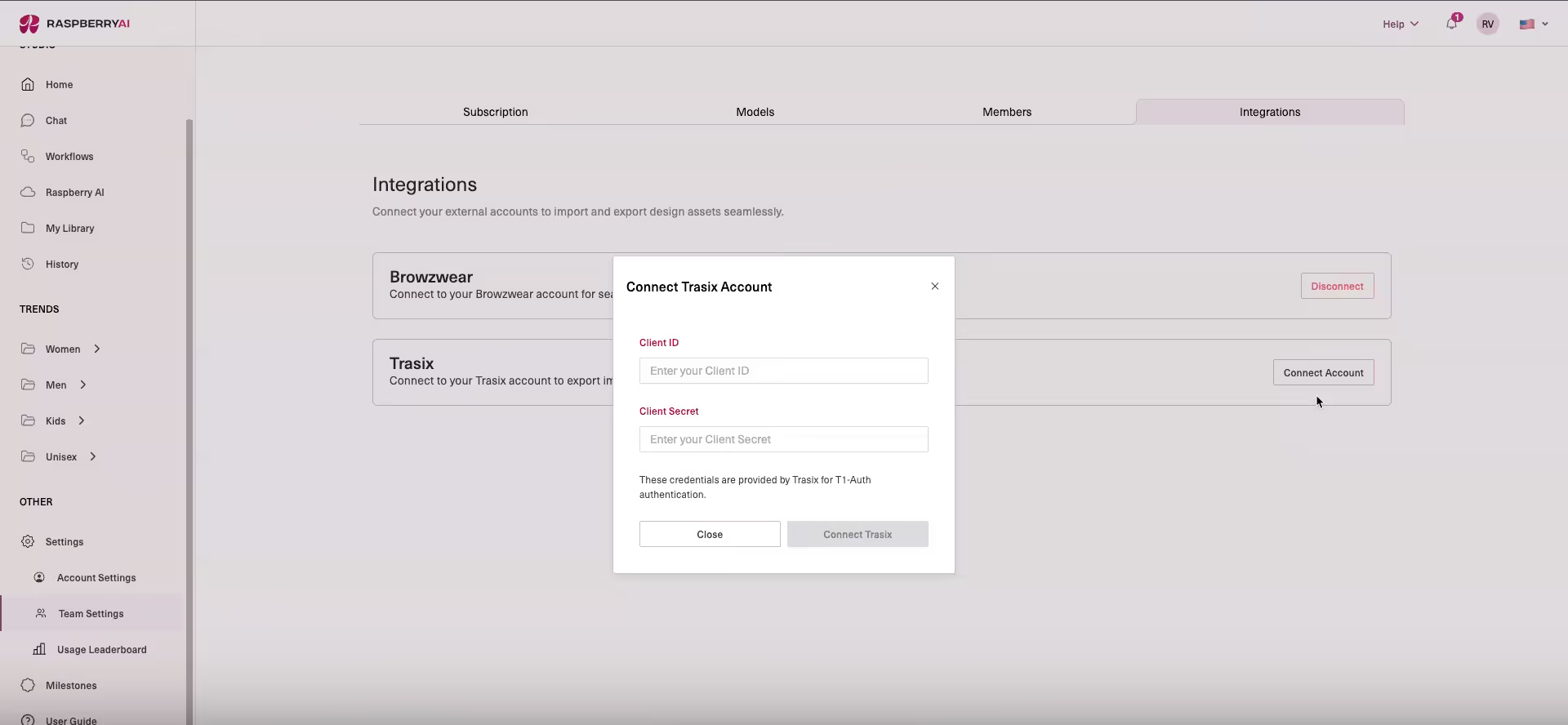
Once authenticated, designers can export directly from Raspberry AI without additional setup.
Exporting Designs From Raspberry AI Into Trasix
There are two primary export paths, depending on how teams work.
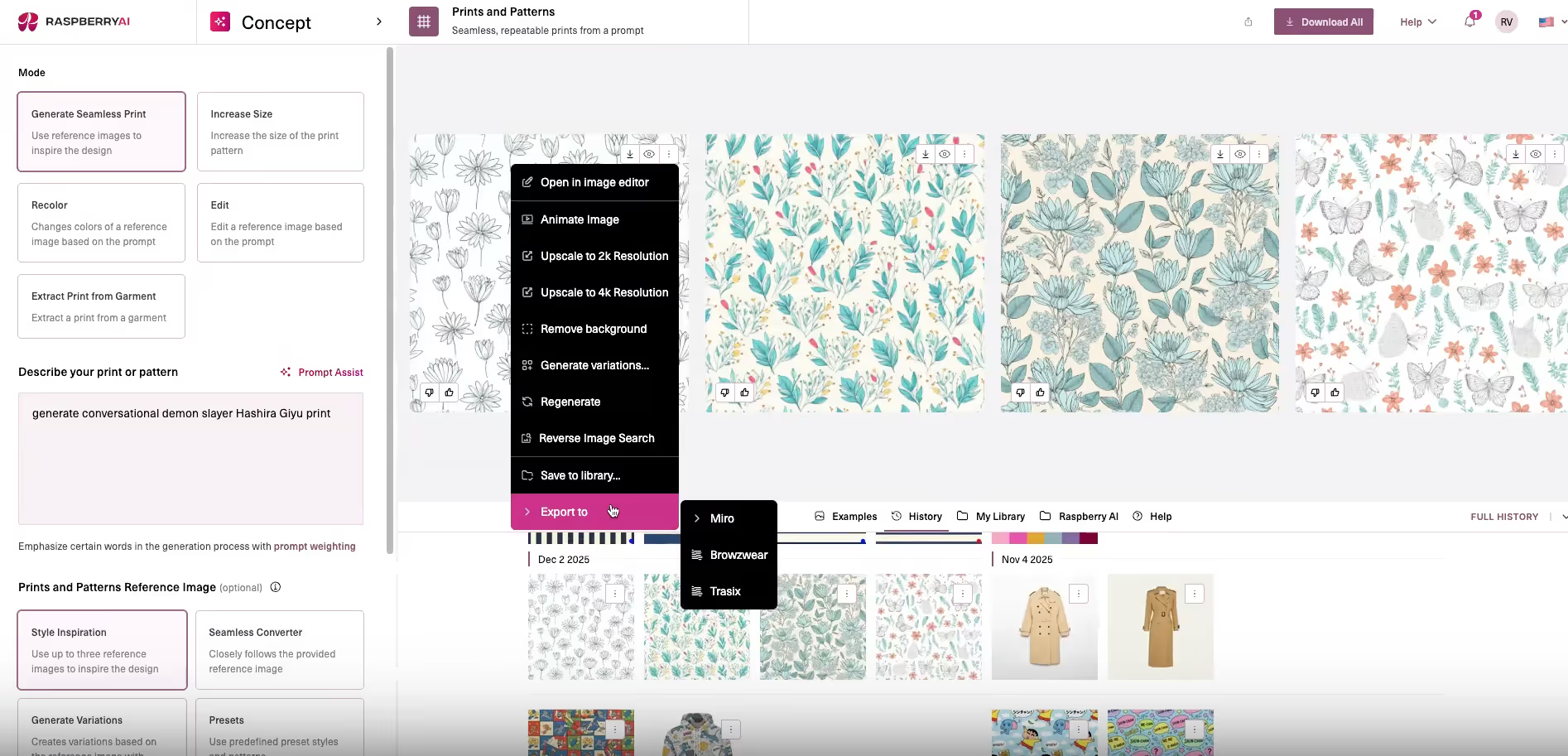
Option 1: Export During Generation
While reviewing a generated design in Raspberry AI:
- Select the image
- Choose Export
- Select Trasix as the destination
Designers are prompted to enter basic metadata, such as:
- Asset type (for example: print, pattern)
- Color reference
- Classification or usage type
Once exported, the design appears inside Trasix as a usable asset.
Option 2: Export From the Library
For designs generated earlier:
- Open the Raspberry AI library
- Select an existing image
- Export to Trasix
- Complete the same metadata fields
This allows teams to move selected concepts into planning workflows without regenerating assets.
How Designs Appear Inside Trasix
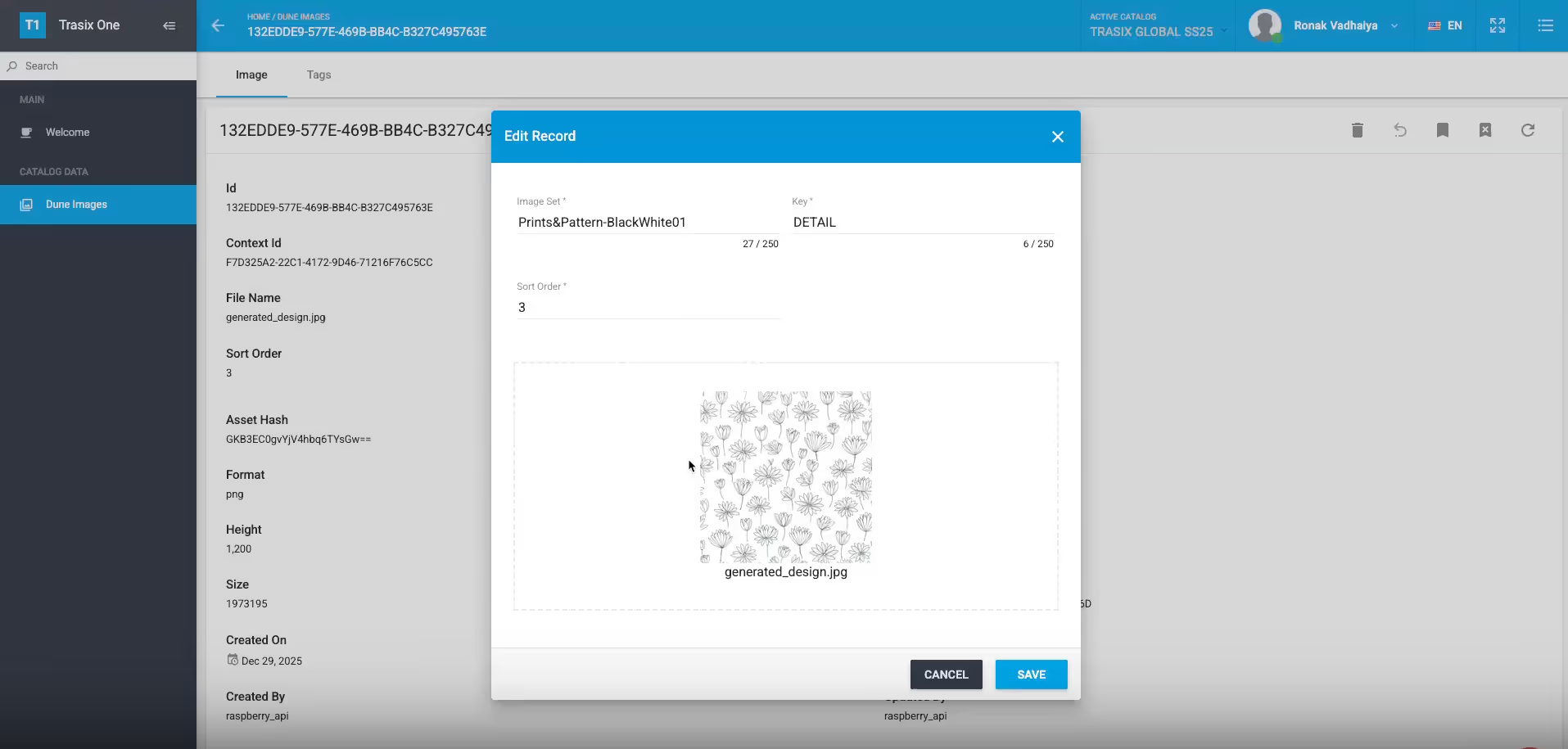
Exported designs land inside Trasix as board assets that teams can:
- Drag into product slots
- Add to concept or seasonal boards
- Review during line reviews
- Reference during assortment planning discussions
Assets remain tied to the product context where they are placed, rather than floating as disconnected files.
Common Team Workflows
Teams are already using the integration in a few consistent ways.
Early Concept Reviews
Designers export multiple Raspberry AI concepts into a single product slot or board. Merchants and planners can review options early, comment, and guide direction before decisions harden.
Seasonal Direction Boards
Concepts are exported into seasonal boards to align on themes, color stories, and silhouettes across regions and categories.
Approved Design Visibility
Final or approved designs can be exported into Trasix so downstream teams work from the same visual reference during planning and sell-in preparation.
Why This Matters at Scale
As assortments grow and timelines tighten, the cost of disconnected workflows increases. Designs created early influence decisions made months later, often by teams that were not part of the original creative process.
This integration ensures:
- Creative work is visible earlier
- Decisions are made with clearer context
- Teams align inside one shared workspace
- Existing systems remain in place
Rather than treating creativity and execution as sequential steps, the integration supports a continuous workflow where both inform each other.
Built for Long-Range Planning
The Raspberry AI × Trasix integration is designed for brands planning collections seasons or years in advance, managing large assortments across regions and channels.
It supports the reality of global product development, where speed, clarity, and alignment matter more than isolated tools or one-off outputs.
Availability
The integration is available now. Our team can assist with setup and help customers align on best practices for exporting and using design assets at scale.